Environment · ISO 14001 system, monitoring, water, waste, rehabilitation New
Every disturbed hectare is recorded stage by stage until handover. Every air, water and soil measurement is compared with the MNS standard
ISO 14001 system: policy, aspects and impacts, legislation, emergencies, audit, review. Each sample at every environmental monitoring point is checked against the MNS standard; an exceedance creates an incident automatically. Water use (GRI 303), waste (GRI 306), complaints from citizens and herders. Rehabilitation stage by stage under MNS 5914–5918 and A-138.
- Feature group
- 4
- Action
- 18
- Flow step
- 6
How it works
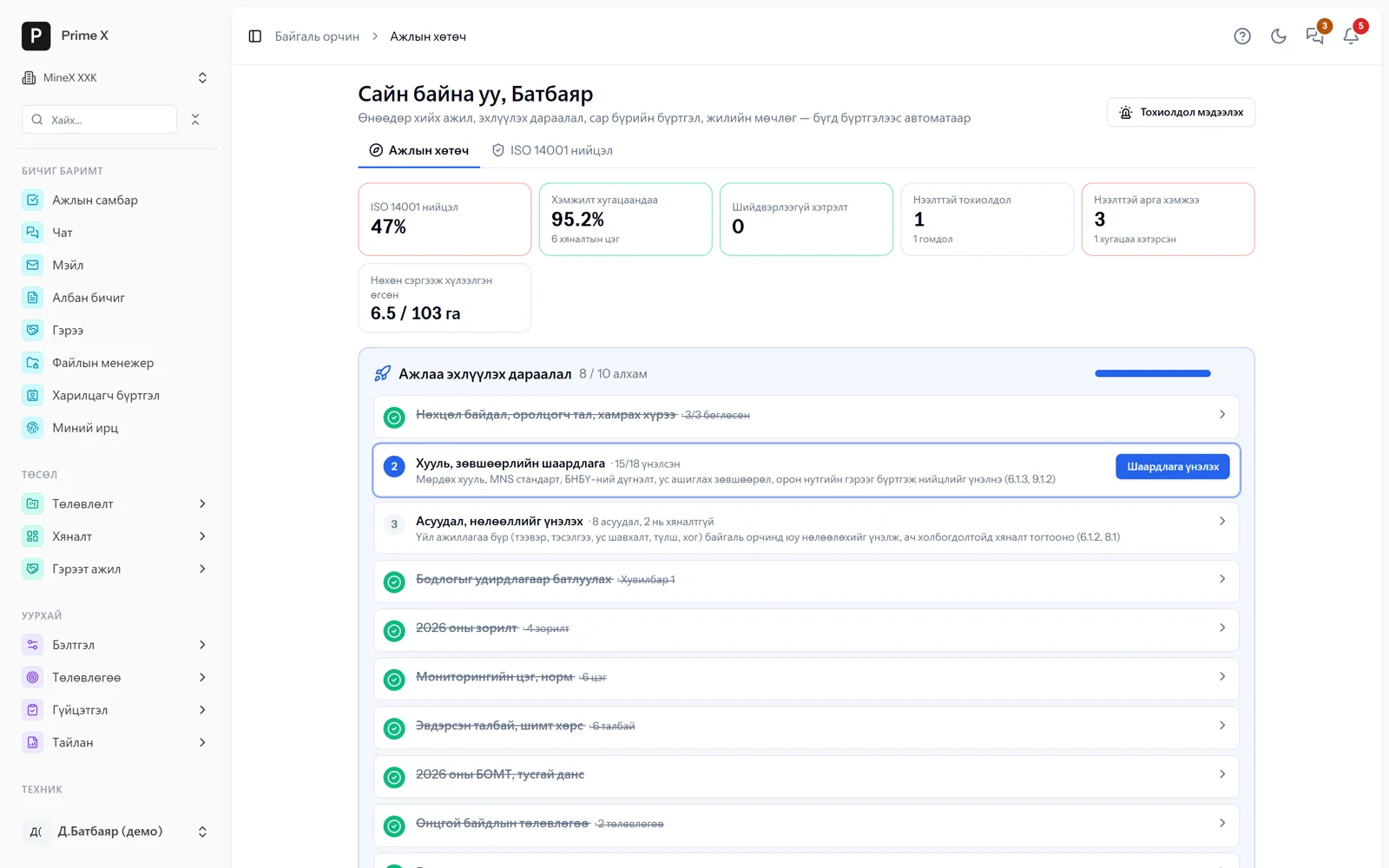
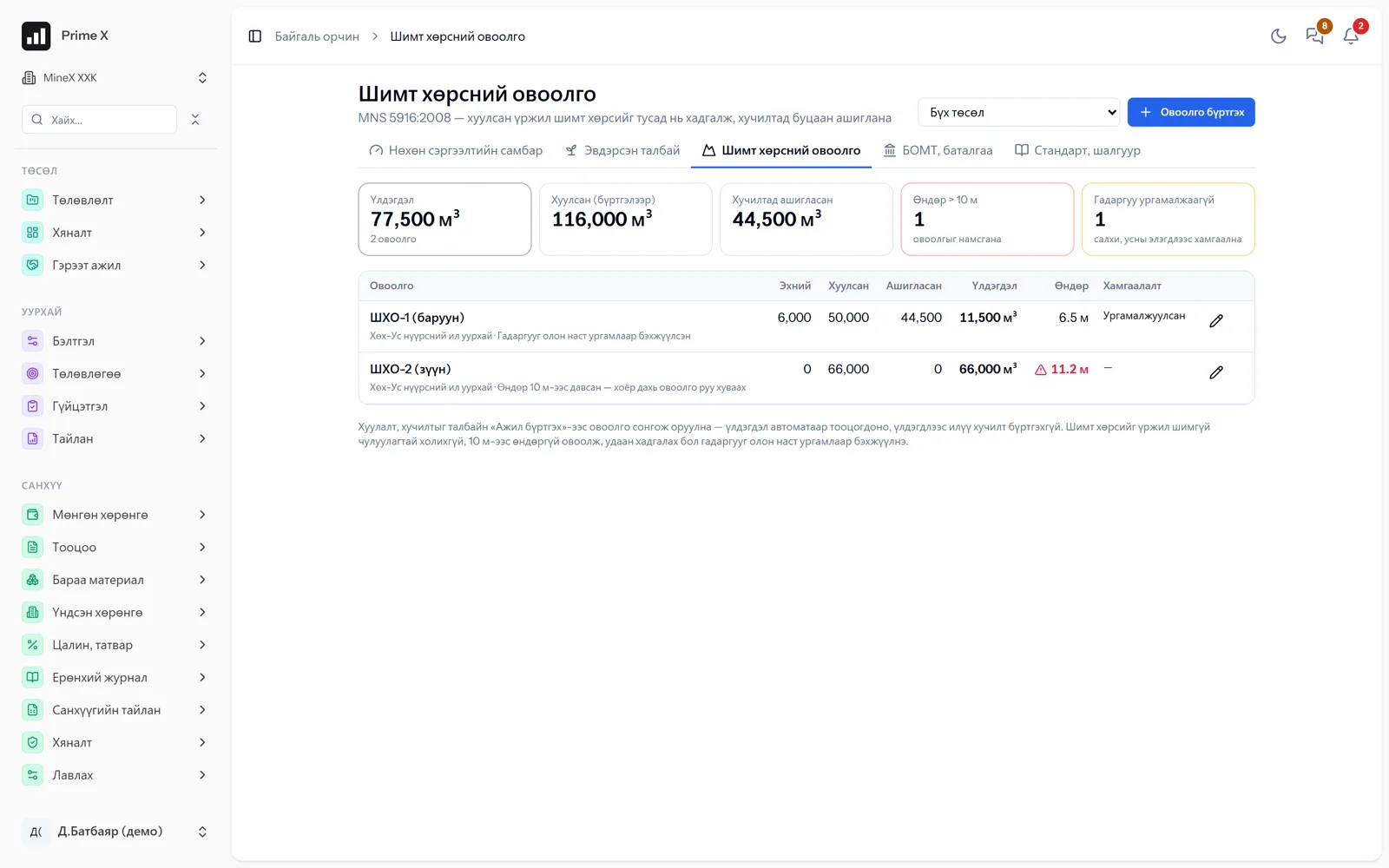
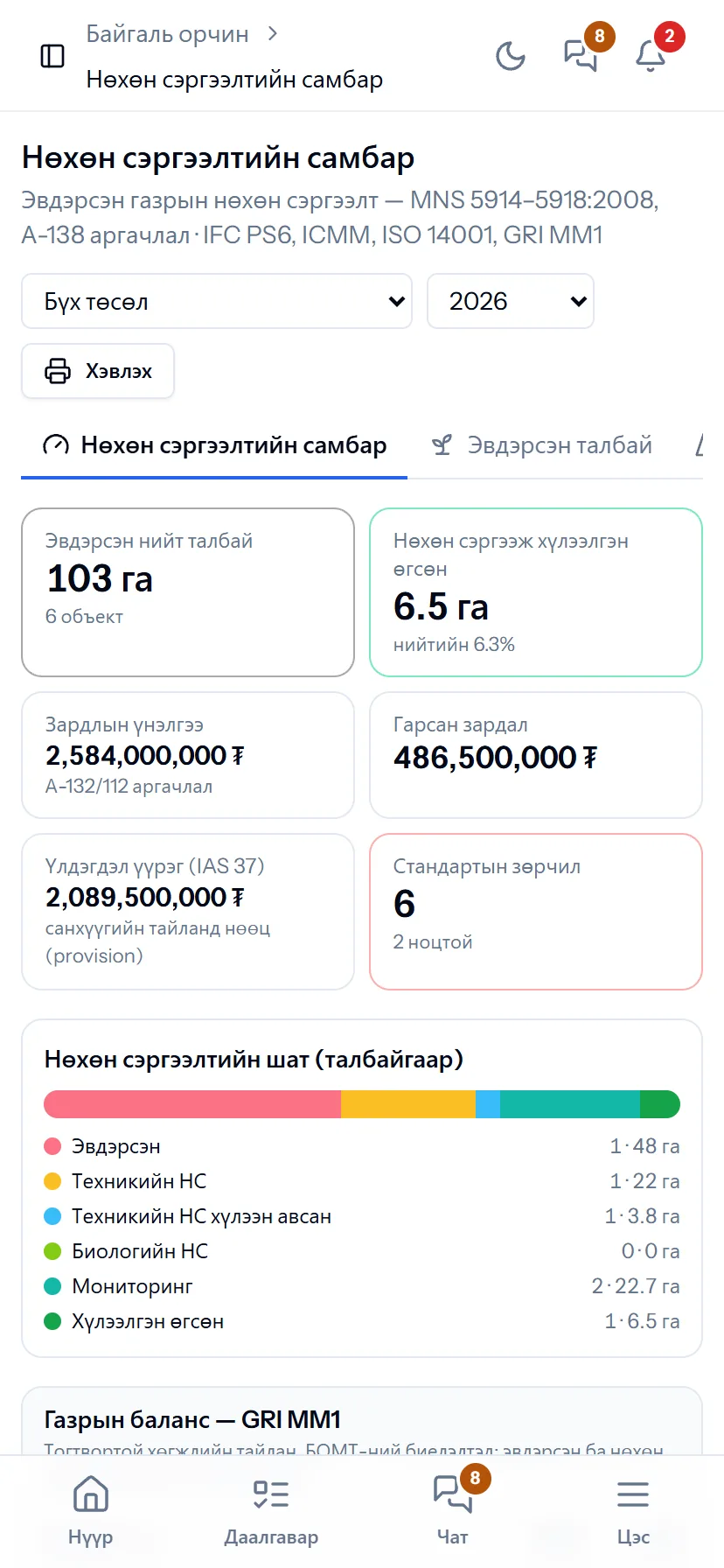
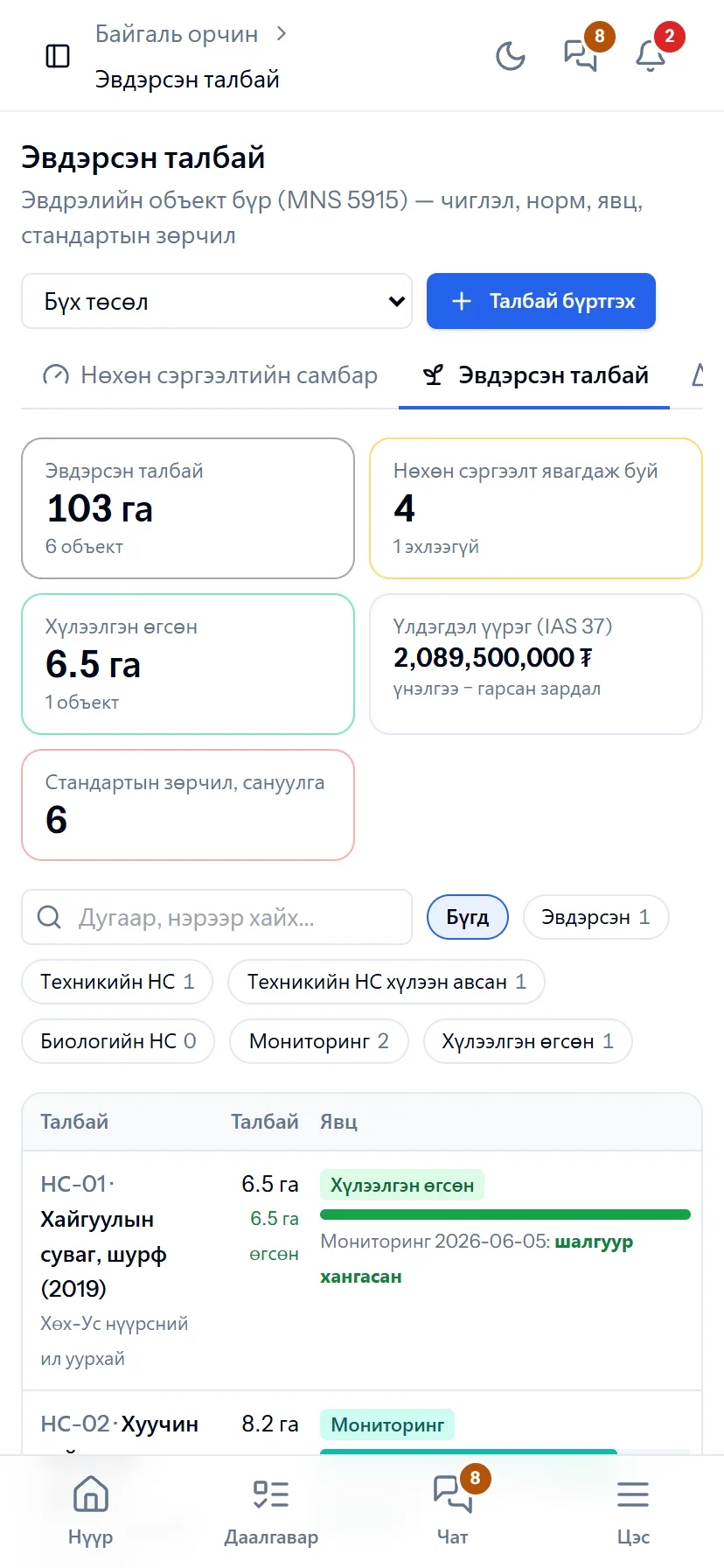
Every disturbed area is recorded by the MNS 5915 object class (pit, dump, quarry, road, exploration trench); choosing the A-138 rehabilitation direction (pasture, afforestation, reservoir…) sets the slope limit, topsoil thickness and vegetation cover criteria automatically. Topsoil stockpiles under MNS 5916 (a warning above 10 m). Technical rehabilitation is done by a contractor and the acceptance commission records deviations such as slope 9° > 6°. After biological rehabilitation, every monitoring measurement is compared with the criteria: met — ready for handover, not met — replant. The dashboard shows the GRI MM1 land balance (start of year, newly disturbed, handed over, end of year), the ISO 14001 9.1.2 compliance evaluation, the year’s environmental management plan and the special-account guarantee.
Request a walkthroughThe picture is only a small part. On the real system Environment section works at every tap and links straight to the other sections — let us show you.
Request a walkthroughScreens
Environment — screens in the system
Demo company screens with sample data. Scroll down to see them one by one.
1 / 8
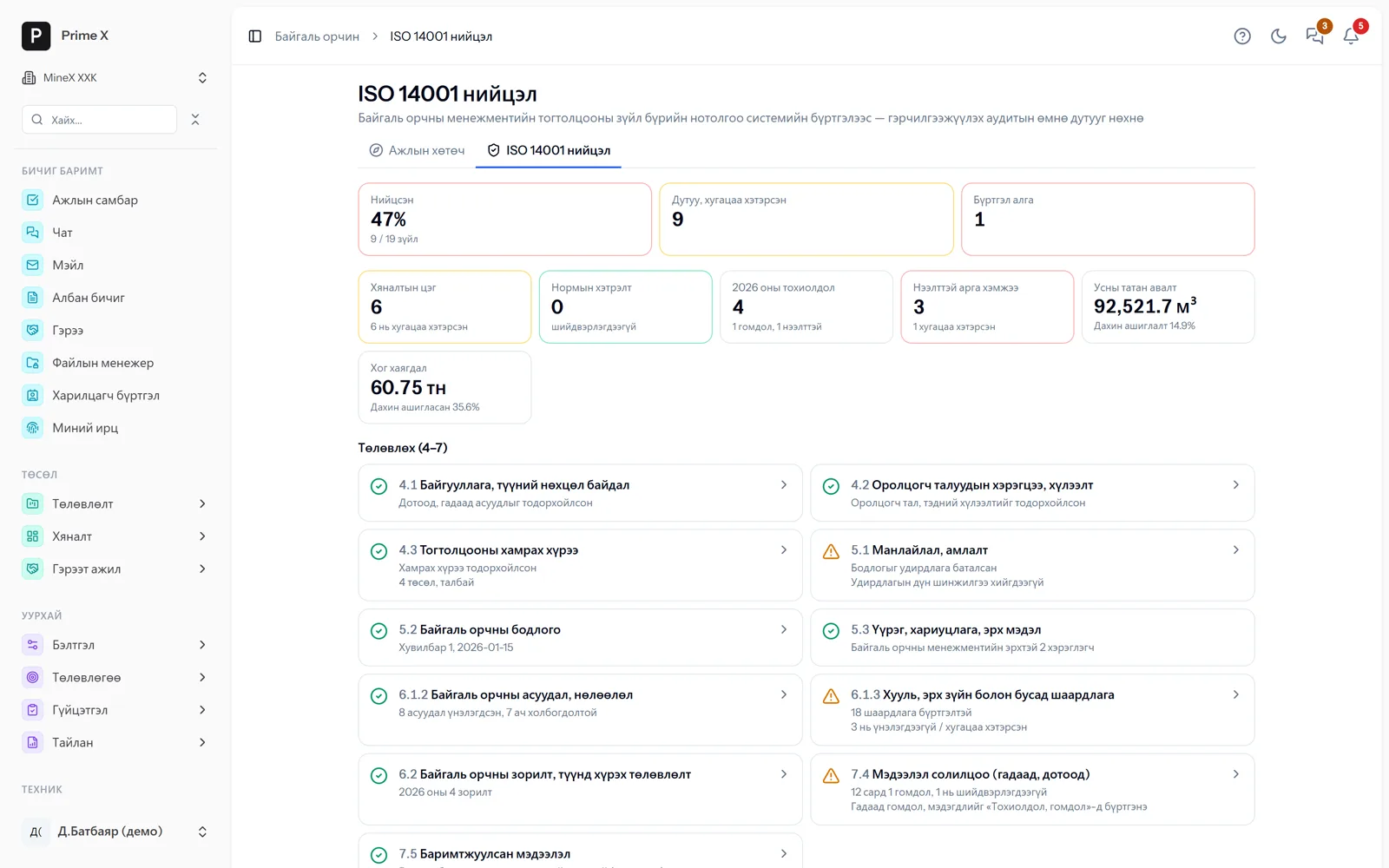
Evidence for every clause of the system from the records: 4.1 context, 5.2 policy, 6.1.2 aspects, 6.1.3 legal, 7.4 complaints… Click a card to open the records.
Spotlight: every area stage by stage
RH-01: disturbed in 2019, handed over to the local authority in 2026 — every stage on record
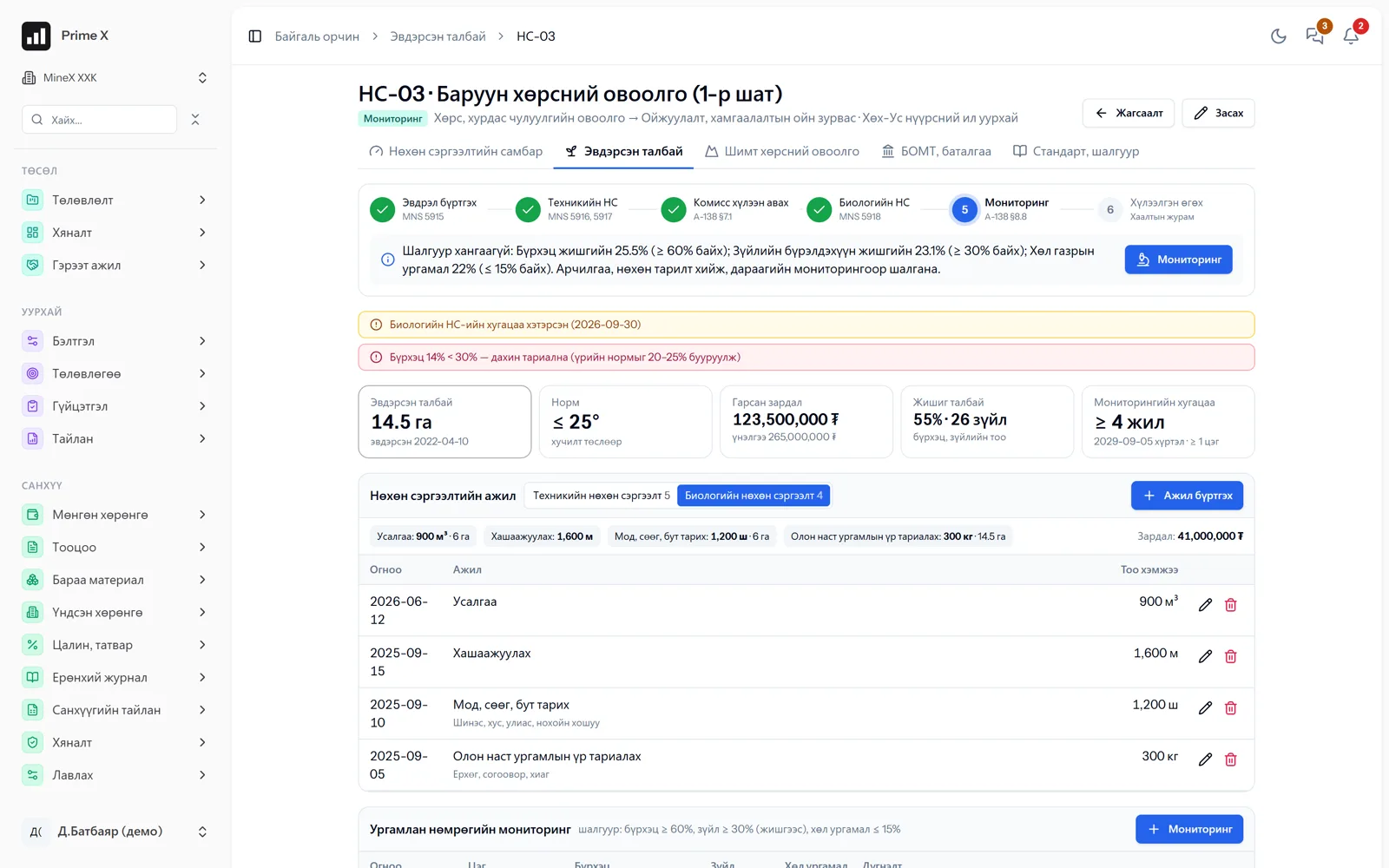
Record the disturbance (MNS 5915) → technical rehabilitation (MNS 5916, 5917) → commission acceptance (A-138 §7.1) → biological rehabilitation (MNS 5918) → monitoring (A-138 §8.8) → handover. For each area the norm (slope ≤ 6°, topsoil ≥ 0.2 m), costs incurred, reference-site cover and monitoring period on one screen. The system warns when a topsoil stockpile exceeds 10 m.
Great on the phone too
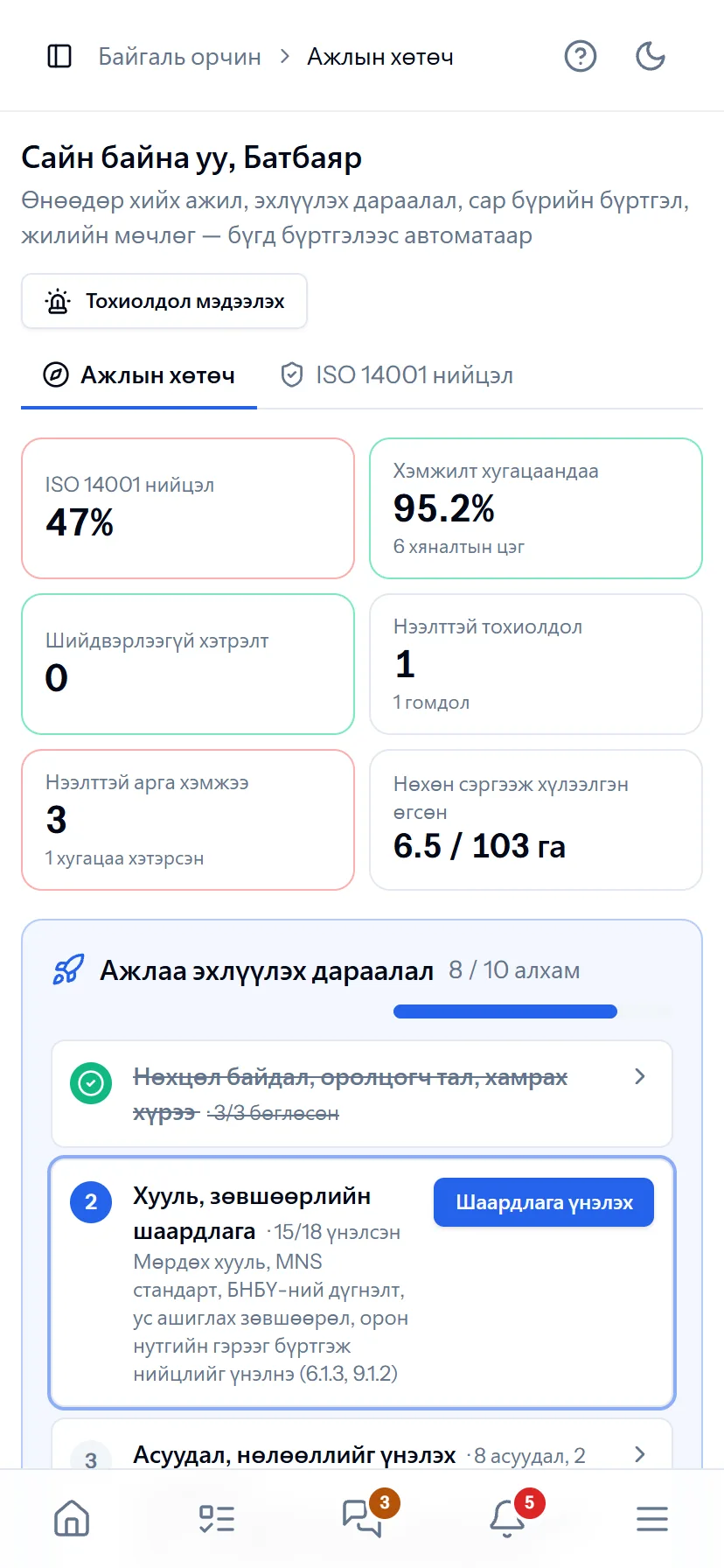
Monitoring from the field, today’s work on the phone
When the environmental specialist opens the module they see the “Work guide”: ISO 14001 compliance, overdue measurements, complaints, assigned actions. In the field they enter vegetation cover and species counts by phone.
- Same account, same permissions — no difference between computer and phone
- Bottom menu: Home, Tasks, Chat, Menu — one tap
- No app to install, opens from the browser; Web Push notifications
What is included
Features of the Environment section
Record
- Disturbed area — object class (MNS 5915)
- Rehabilitation direction, criteria automatic (A-138)
- Topsoil stockpile (MNS 5916)
- Location and hectares on the map
Stages
- Technical rehabilitation — contractor work, commission act
- Biological rehabilitation — planting, vegetation
- Monitoring — every measurement against criteria
- Handover — local authority, act
Reports, compliance
- GRI MM1 land balance
- ISO 14001 9.1.2 compliance evaluation
- Environmental management plan, special-account guarantee
- Standards reference, printing
System, monitoring (ISO 14001)
- Work guide — today’s, monthly and yearly cycle automatically
- Monitoring — air, water, soil, noise; MNS standard, exceedance → incident
- Water use (GRI 303), waste (GRI 306)
- Policy, objectives, aspects and impacts, legislation, emergencies
- Incidents, complaints from citizens and herders, actions
- Internal audit, management review, compliance board
Better in real life
Screenshots show only a small part of the system
A screenshot shows just one moment. On the real system, when the dispatcher changes a status you see the trip report change, the act appear and the ledger entry go in. The best way is 30 minutes together on your company’s data.
- With your equipment, employees and project names
- Questions answered on the spot and shown on screen
- Online or at your office
- No obligation, no charge
See it on the real system
Request a walkthrough Try the dispatcherThere is no open demo. Walkthroughs are done only at your request, for your company.
Ready to run your company on one system?
Screenshots do not fully show how it works in practice. We give a 30-minute walkthrough on your company’s data and draw up an implementation plan together — office, factory, clinic, road or mine, the whole system or a single module. If you have foreign investors we show the English and Chinese interfaces too.