Projects · PMBOK / ISO 21502 — baseline, EVM, risks, Monte Carlo, P6 import New
Project management at Primavera P6 level — linked directly to field records
Project charter, WBS dictionary, baseline, change requests, EVM, risks, Monte Carlo, budget reserves, quality, status reports. Import from Primavera P6 and MS Project and export back. Progress is not typed in by hand — it comes from trips, surveys and work records.
- Feature group
- 3
- Action
- 16
- Flow step
- 6
How it works
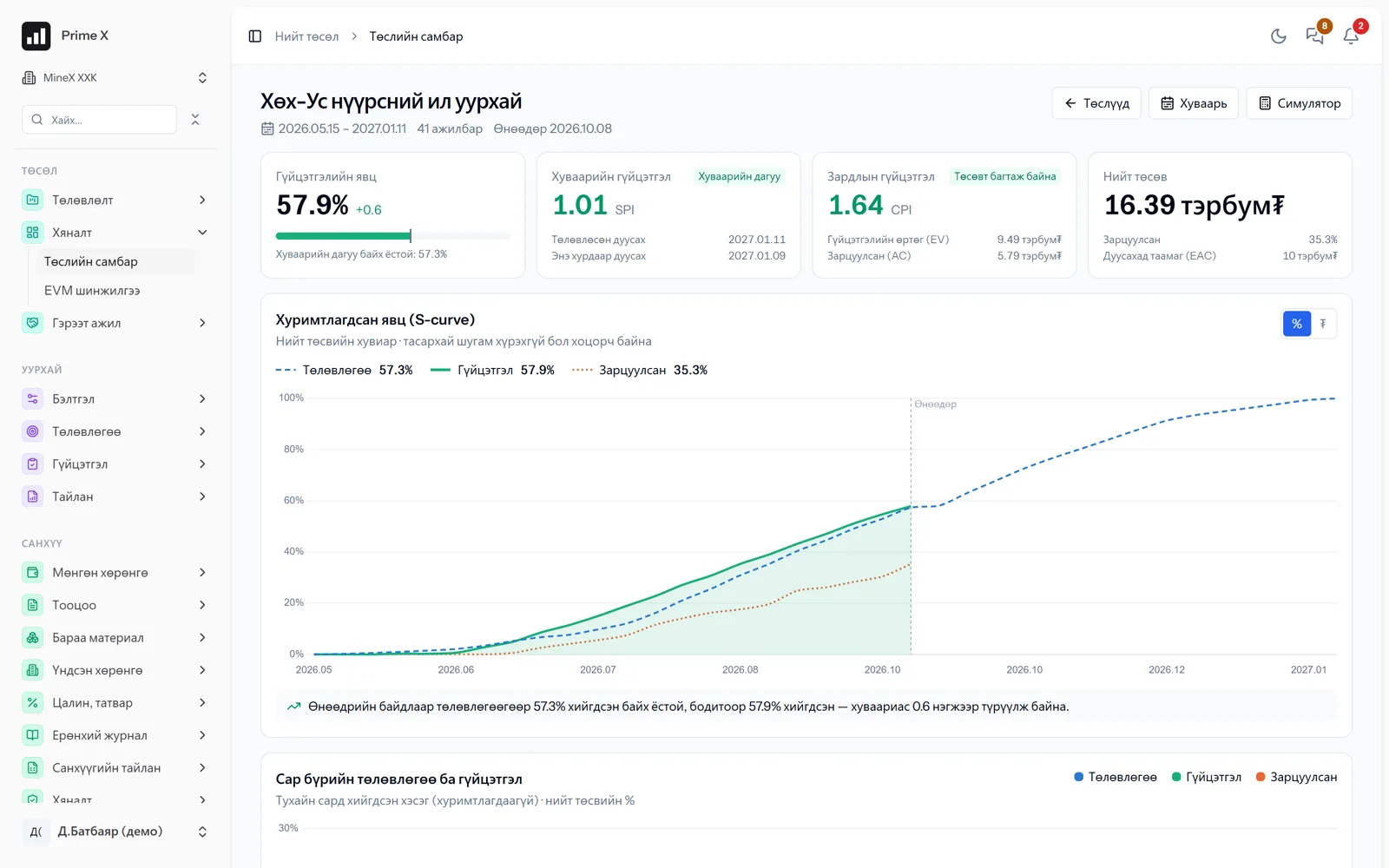
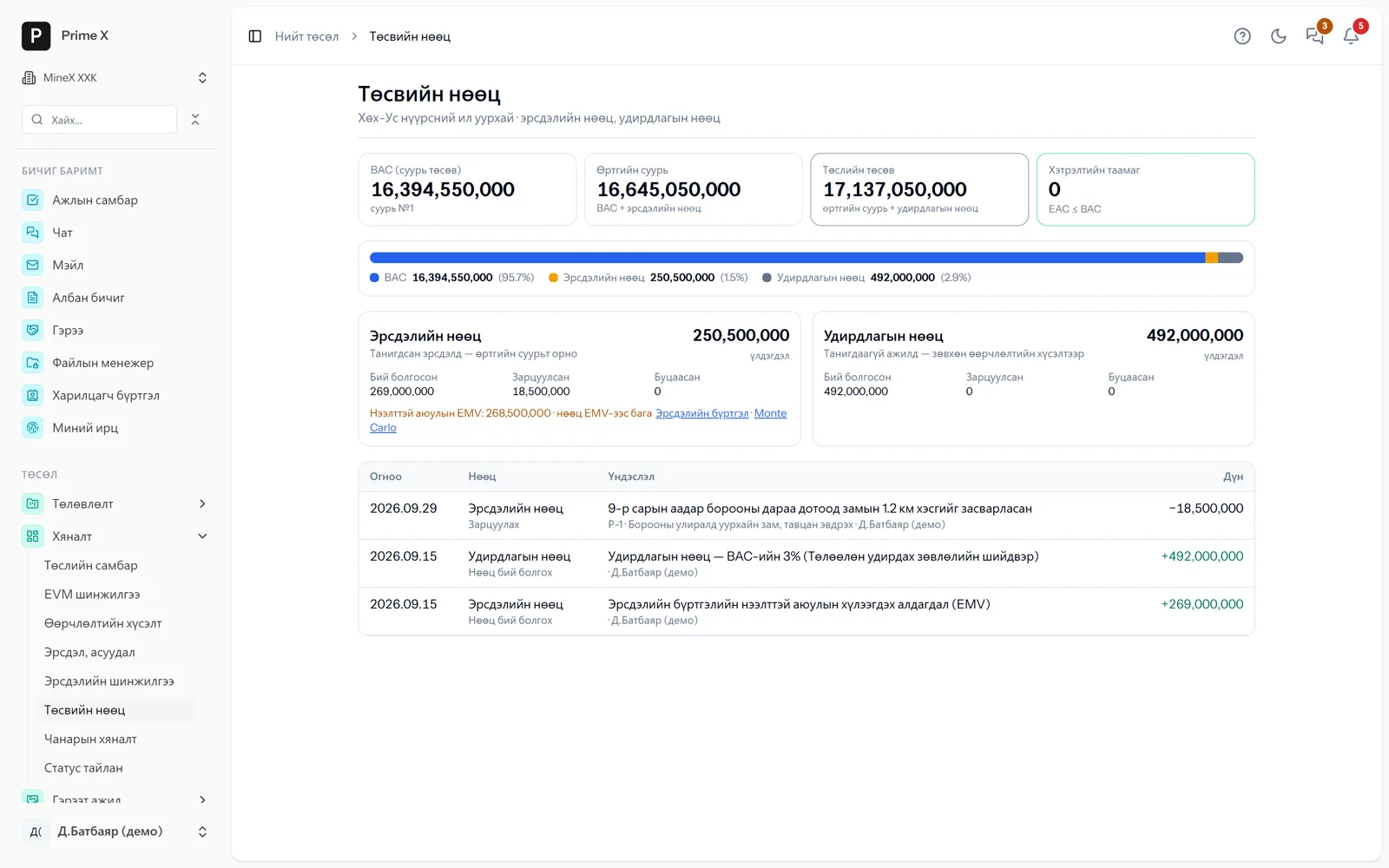
The project module follows the PMBOK / ISO 21502 phases: charter and stakeholders (RACI) → WBS dictionary, acceptance criteria → Gantt schedule, dependencies, critical path, work calendar → baseline approval → EVM (CPI/SPI, EAC, TCPI), baseline updated only through change requests → risk register (probability × impact, EMV), Monte Carlo analysis (P50/P80 finish date and cost) → contingency and management reserves → quality inspections, NCRs → automatic weekly and monthly status reports. Equipment and labour usage tables work like P6 Resource Usage; durations are calculated from equipment productivity and resources are levelled. Multi-year work is grouped into portfolios. P6 XER/XML and MS Project XML import-export. Once a contract and rates are registered with a contractor, performance acts are generated at those rates and invoices and receivables are posted automatically.
Request a walkthroughThe picture is only a small part. On the real system Projects section works at every tap and links straight to the other sections — let us show you.
Request a walkthroughScreens
Projects — screens in the system
Demo company screens with sample data. Scroll down to see them one by one.
1 / 10
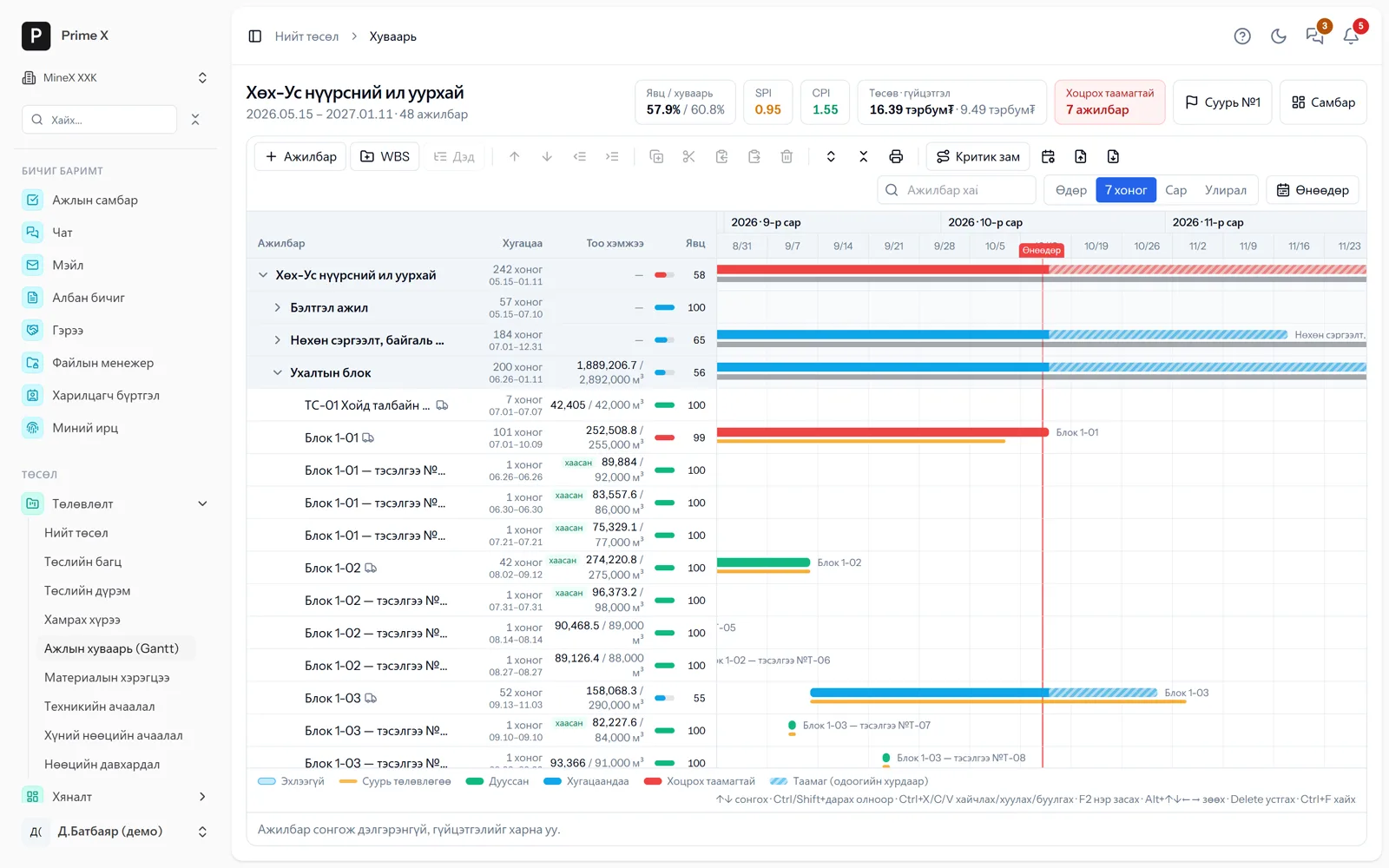
WBS, activities, dependencies, baseline (yellow), progress, delay forecast. Like P6: search, multi-select, copy, critical path, import-export.
Spotlight: Monte Carlo
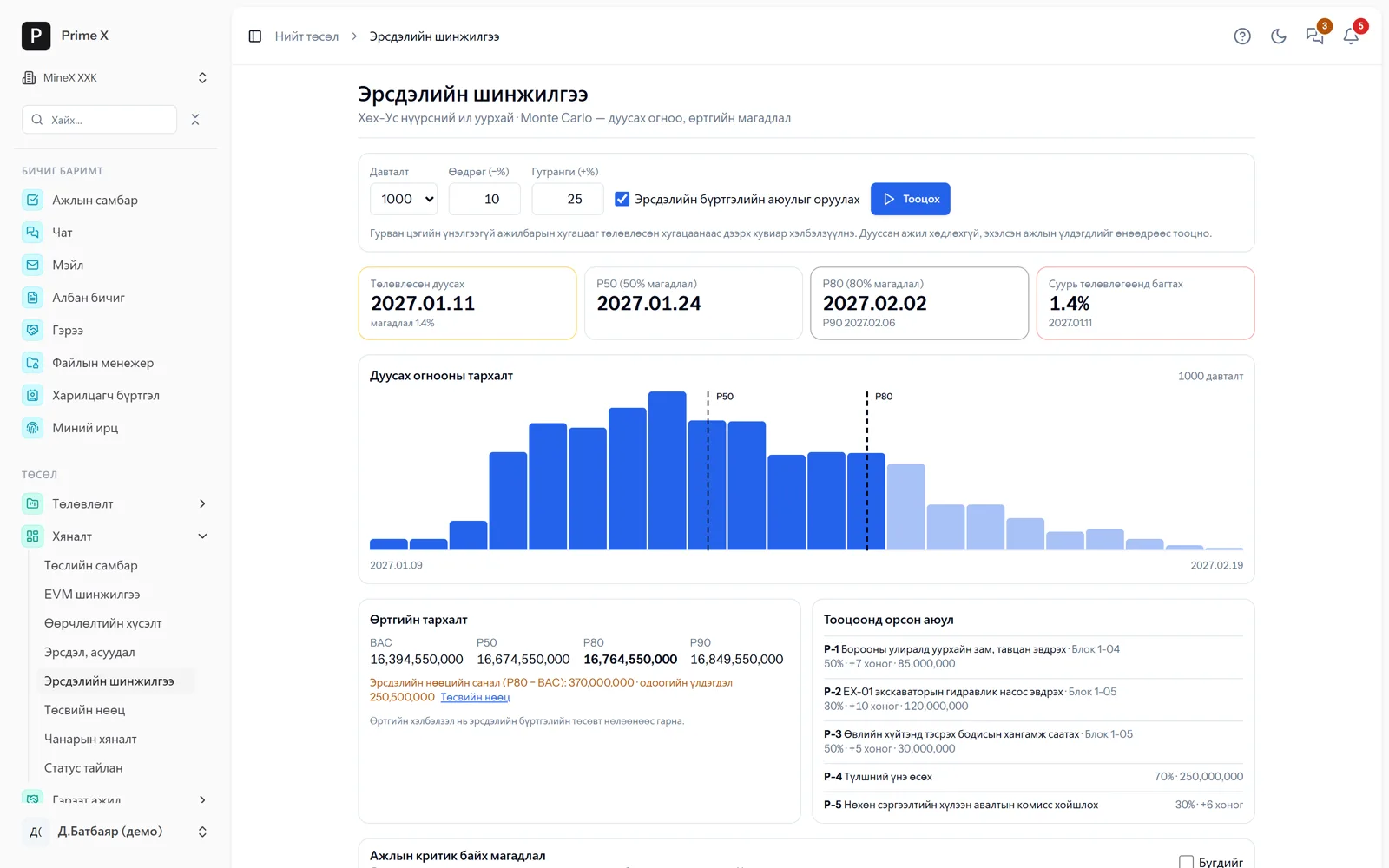
When will the project finish? — P50 and P80 dates and cost from 1,000 iterations
Each activity’s duration varies by three-point estimate and the risk register’s threats occur with their probability. Result: a 1.4% chance of meeting the planned 11 Jan 2027, P50 — 24 Jan 2027, P80 — 2 Feb 2027; suggested contingency reserve P80 − BAC. Management decides by probability, not by “hopefully”.
Great on the phone too
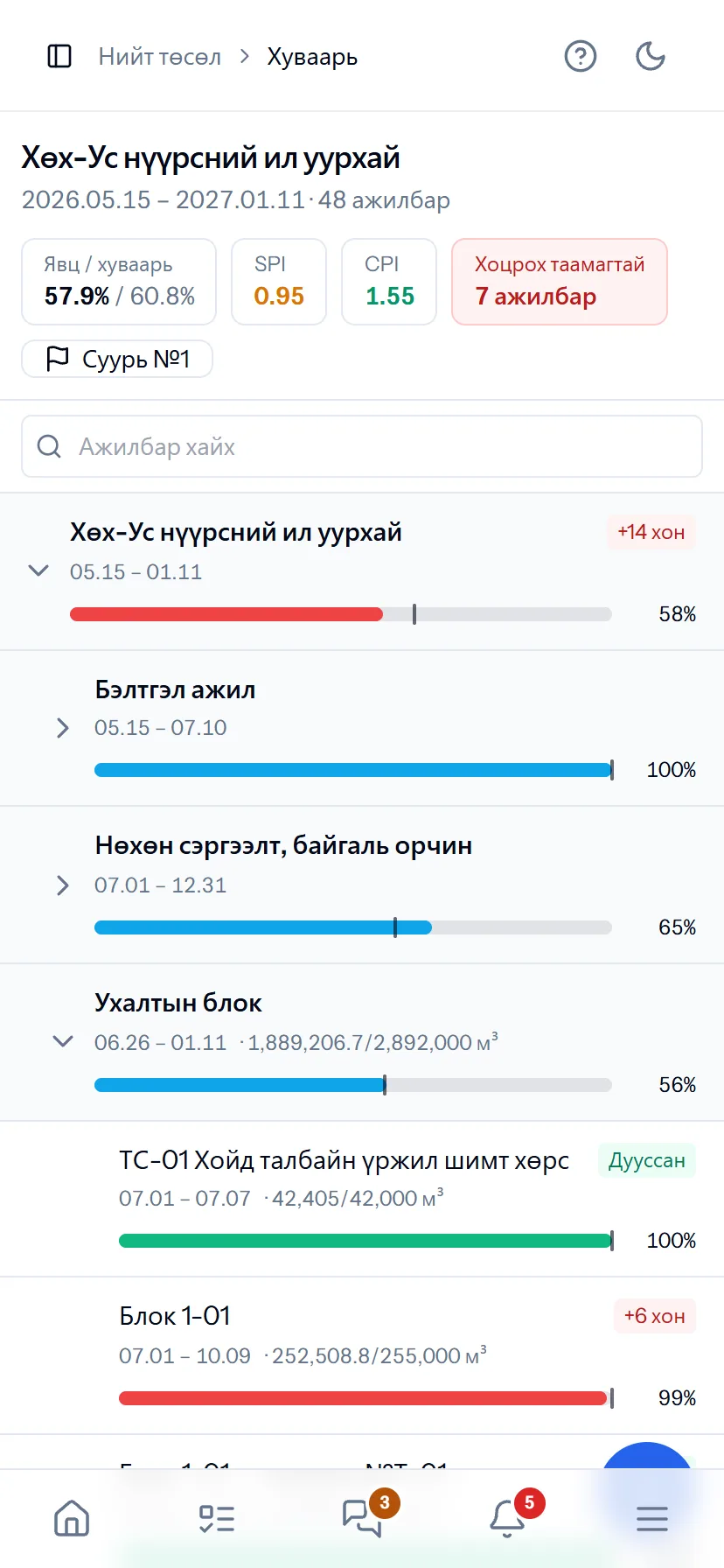
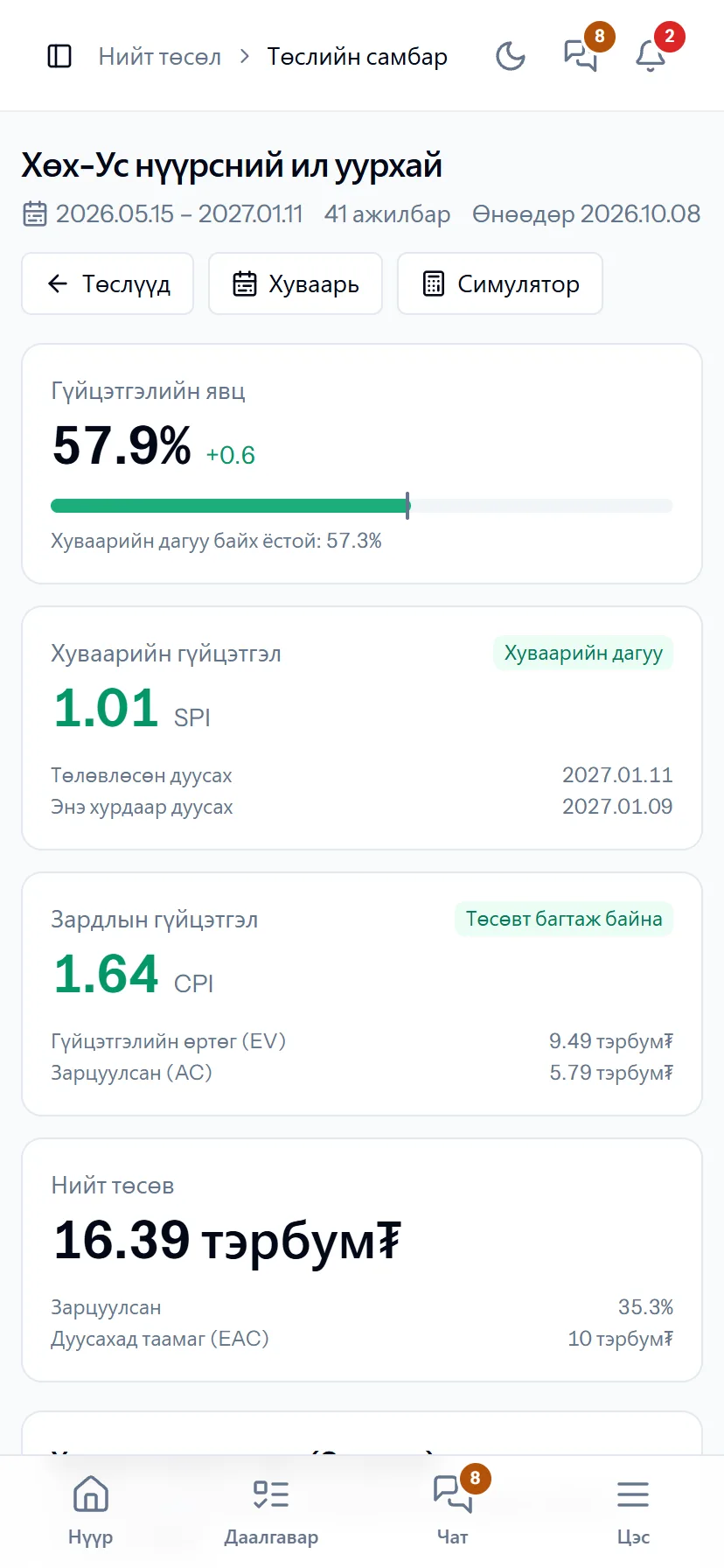
Schedule and dashboard — on the manager’s phone
On the phone the Gantt becomes a list showing each activity’s progress, delay forecast and SPI/CPI. Open status reports and the risk register from your phone during the meeting.
- Same account, same permissions — no difference between computer and phone
- Bottom menu: Home, Tasks, Chat, Menu — one tap
- No app to install, opens from the browser; Web Push notifications
What is included
Features of the Projects section
Planning
- Project charter, stakeholders, RACI
- WBS dictionary, acceptance criteria
- Gantt — dependencies, critical path, calendar, baseline
- Primavera P6 (XER/XML), MS Project import-export
- Equipment and labour usage; resource levelling
- Portfolios — multi-year work
Control
- Project dashboard, EVM (CPI / SPI, EAC, TCPI)
- Change requests — baseline changes only on approval
- Risks and issues — EMV, Monte Carlo (P50 / P80)
- Contingency and management reserves
- Quality inspections, NCRs; automatic status reports
- Material needs → requisition
Contract work
- Contracts, rates (unit, trip, hour, weighbridge tonne)
- Performance act → invoice
- Contractor performance evaluation
- Project invitation — contractors join
Better in real life
Screenshots show only a small part of the system
A screenshot shows just one moment. On the real system, when the dispatcher changes a status you see the trip report change, the act appear and the ledger entry go in. The best way is 30 minutes together on your company’s data.
- With your equipment, employees and project names
- Questions answered on the spot and shown on screen
- Online or at your office
- No obligation, no charge
See it on the real system
Request a walkthrough Try the dispatcherThere is no open demo. Walkthroughs are done only at your request, for your company.
Ready to run your company on one system?
Screenshots do not fully show how it works in practice. We give a 30-minute walkthrough on your company’s data and draw up an implementation plan together — office, factory, clinic, road or mine, the whole system or a single module. If you have foreign investors we show the English and Chinese interfaces too.